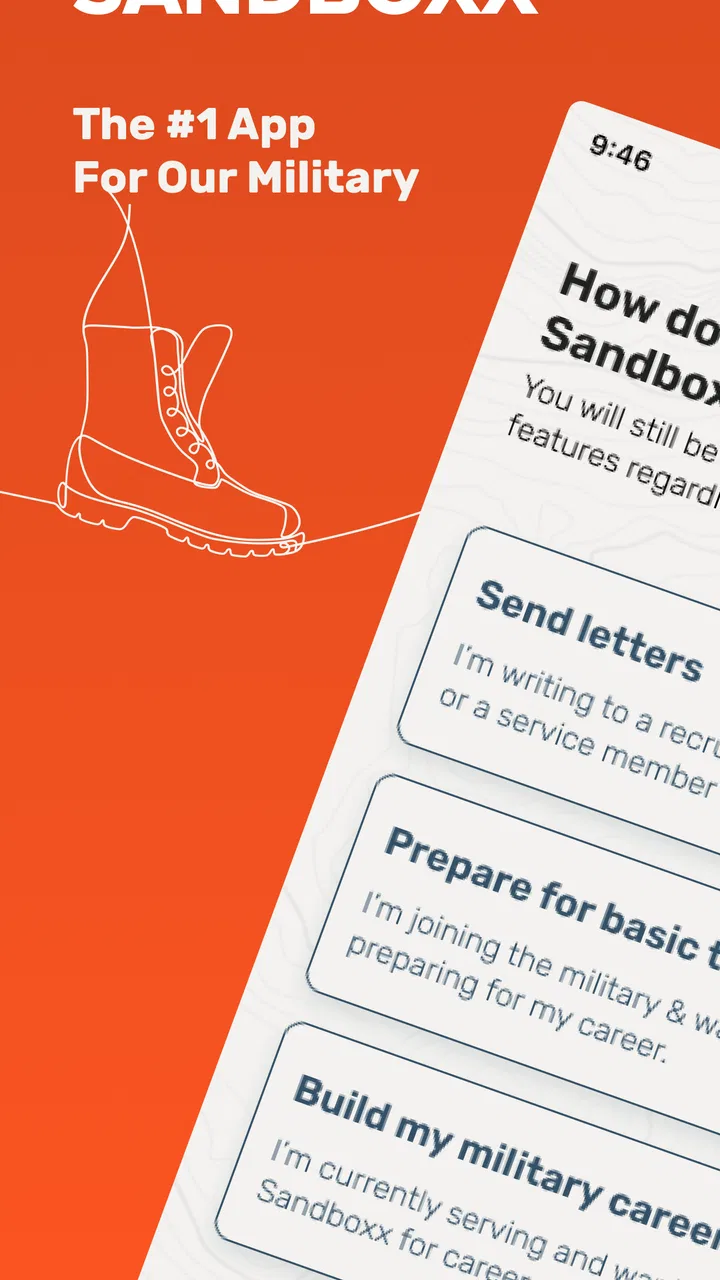
Sandboxx
- 4.0
- Rating
- 1.00M
- Installs
- Free
- Price

 Analysis by App-foxy
When a friend or family member leaves for military training, ordinary communication suddenly becomes less ordinary. A quick message may be easy to send, but a handwritten letter can carry more warmth, especially when the recipient has limited time and a busy routine. Sandboxx is a lifestyle app built around that situation, and after using it, I see its main value in reducing the effort between writing a letter and getting it on its way.
What makes it different from a normal messaging app is the physical-letter workflow. I can prepare a message from my phone instead of finding stationery, an envelope, a stamp, and a mailbox. That does not make it a replacement for every kind of communication, but it does make a specific task much simpler. The app is free to install, and Sandboxx, Inc. has developed it for people who want to stay connected with recruits and service members through mailed letters.
I would describe it as a focused communication tool rather than a general social app. Its place in the lifestyle category makes sense because the benefit is not entertainment or productivity in the usual sense; it supports a personal routine during an important transition. The store summary presents the central idea clearly: sending letters overnight to a recruit. In practice, the useful question is whether that convenience fits your household, your communication habits, and the recipient’s situation.
You May Also Like

 Blood Strike: 2.5 Anniversary
Blood Strike’s Loadouts Turn Every Drop Into a Tactical Gamble
A close look at Blood Strike’s custom loadouts: how fast access to signature weapons reshapes its battle royale rhythm, rewards preparation, and narrows the gap between fights.

 Pandora - Music & Podcasts
Pandora’s Music Is Easy to Start, but Harder to Recover
Pandora’s strength is its low-effort path from a seed to a station. Its weak spot is how much confidence it asks you to place in connection, setup, and quiet recovery.

 8 Ball Pool
 Is Built on Rivalries, Rematches, and Routine
A close look at the rivalries, rematches, shared routines, and unanswered safety questions that turn a quick pool match into a persistent mobile community.

 Samsung Music
’s Quiet Strength Is Playing What You Already Own
Its reach comes less from spectacle than from dependable access to a personal library. That simplicity is both the app’s strongest retention engine and its ceiling.

 AccuWeather: Weather Radar
AccuWeather Review: A Quick, Clear Forecast for Everyday Decisions
For everyday plans, the best forecast is the one you can understand quickly. AccuWeather makes rain timing, radar, and local conditions easy to act on, with a few trade-offs.

 Hill Climb Racing
Why Hill Climb Racing Still Turns Crashes Into One More Run
A tiny car, a bumpy hill and one more upgrade: Hill Climb Racing keeps resurfacing because its simple chaos makes every near-miss feel personal.
More From Our News Desk



How Sandboxx fits into real household communication
When I think about Sandboxx in a household, I see its best role as a simple way to make supportive letters easier to follow through on, rather than another place to manage every family conversation. It can help relatives turn scattered updates into a thoughtful note, while leaving urgent questions and everyday back-and-forth to channels better suited to instant replies. That distinction also makes the first setup decision clearer: who will prepare and send the household’s letters.
A shared-use scenario that feels genuinely practical
Imagine a household with a recruit away from home. One person may want to send a supportive note, another may have a family update, and a younger sibling may want to write something more personal. Without a dedicated workflow, those messages can become scattered across text conversations, notebooks, and last-minute errands. Sandboxx gives the household a single place to prepare letters from a mobile device.
I find this especially useful when several people are contributing to the same moment but do not live on the same schedule. A parent can write in the evening, while another relative adds a separate message later. The important advantage is not simply speed; it is reducing the number of small tasks that otherwise cause people to postpone writing. The app turns “I should send a letter” into something that can be started immediately.
That convenience also changes how I think about the app’s audience. It is not only for the recruit’s closest relative. Friends, partners, grandparents, and siblings may all have a reason to use it. A household can treat it as a communication channel for encouragement, news from home, and reminders of normal life, without expecting every person to use the same style or frequency.
There is a trade-off, though. A digital message is instant and easy to revise, while a mailed letter has a more deliberate feeling. Sandboxx helps with the physical delivery process, but the emotional value still depends on what I write. If I use it only for short, repetitive check-ins, it may feel less meaningful than taking a few extra minutes to share a real story, a family update, or a specific memory.
What setup should stay personal
The first setup decision is deciding who should control the account and the writing process. On a shared household device, I would avoid treating the app like a communal inbox that everyone can open casually. The person responsible for sending letters should manage the account, while other family members can provide text separately if that is more comfortable.
This boundary matters because letters can contain private thoughts. A recruit may appreciate a message from one person but not expect every household member to see the contents. I would establish a simple rule before using the app: decide who is allowed to prepare a letter, who reviews it, and who actually sends it. That small agreement prevents accidental edits and avoids turning a personal message into a group document.
For a family sharing one phone or tablet, I would also keep drafts organized outside the app when several people are contributing. A shared note with clearly marked names can work as a temporary collection point, but I would remove sensitive material from that note after the letter is prepared. This is not a special feature of Sandboxx; it is a practical habit for keeping account boundaries clear on a shared device.
I would not hand the device to a child and assume the app is automatically suitable for unsupervised use simply because its content rating is Everyone. The age label indicates broad suitability, but it does not decide which household information should be shared or who should be responsible for sending a letter. Parents and guardians still need to set expectations around personal details, recipient information, and spending decisions connected with communication.
Making the letter workflow less stressful
The best way to use Sandboxx is to prepare before the emotional moment arrives. If a recruit has just left, everyone may want to write immediately, and that can lead to rushed messages or duplicated updates. I prefer to keep a short list of topics ready: something happening at home, a funny memory, encouragement for a difficult day, and a question that invites a reply.
A useful technique is to separate urgent information from ordinary family news. If something genuinely time-sensitive needs attention, a letter may not be the right channel. Sandboxx is built around sending physical letters, so I would use another appropriate method for matters that cannot wait for delivery. The app is strongest when the goal is steady connection rather than emergency coordination.
I also recommend writing for the recipient’s actual routine. A recruit may not have time to process a long account of every household detail. A focused letter with a few concrete updates can be easier to read and more comforting than a page that jumps between topics. On the other hand, someone who has been away for a while may value a longer family story. The right length depends on the relationship, not on a fixed formula.
One non-obvious benefit is that the app can encourage consistency among people who are not natural letter writers. The physical supplies are no longer the main barrier, so the remaining challenge becomes deciding what to say. I find that helpful because it exposes the real reason many people delay: they think a letter must be profound. It does not. A specific, ordinary update can be more reassuring than a grand speech.
Coordination without turning support into administration
When multiple relatives write to the same recruit, coordination can prevent repetition. I would suggest a lightweight schedule rather than a rigid household calendar. For example, one person might send a family update, another might share personal news, and someone else might write when they have a meaningful story. The purpose is to keep communication varied, not to create another obligation.
It is also worth agreeing on what should remain private. A family member may mention health, finances, relationship issues, or a disagreement at home. Those subjects can be appropriate in a private letter, but they should not be copied into a shared draft or discussed openly on a communal device. Sandboxx makes sending easier; it does not replace judgment about the content.
If several people contribute to one letter, I would have one person read the complete message before sending it. This catches accidental repetition and makes sure names, dates, and context are understandable. It also protects the recipient from receiving a confusing mixture of voices. A single coordinated letter can feel thoughtful, while an unedited group message may feel like an administrative notice.
Another useful habit is keeping expectations realistic. Sending a letter does not guarantee an immediate response. Training schedules, access to communication, and personal energy can all affect when a recruit replies. I would tell younger family members this clearly so they do not interpret a delayed answer as rejection. The app supports the act of reaching out, but it cannot control the recipient’s availability.
Overnight delivery and the choice of alternative channels
The promise of overnight delivery is the feature that most clearly separates this service from ordinary mail routines. It is valuable when timing matters emotionally, such as before a known milestone or after a difficult family event. Still, I would not treat the word “overnight” as a reason to send every message through the app. Delivery speed and the recipient’s ability to receive or read a letter are separate parts of the process.
For immediate back-and-forth conversation, a standard messaging app is usually more suitable. Texting, email, or a phone call can handle questions and quick confirmations more naturally. Traditional mail may be preferable for someone who enjoys choosing paper, handwriting the message, and managing the entire process personally. Sandboxx sits between those options: it preserves the idea of a physical letter while removing much of the preparation work.
That middle position is its strongest trade-off. I give up some of the tactile control of traditional letter writing, but I gain convenience from using a phone. Someone who already keeps stamps and envelopes at home may see less reason to use it. Someone who wants the emotional effect of a letter but repeatedly forgets supplies may find the service much more worthwhile.
I would also avoid using it as a complete replacement for direct contact with the household. A recruit may appreciate letters precisely because they are different from instant messages. Keeping both channels available, when appropriate, gives the relationship variety: quick contact for practical matters and letters for encouragement, reflection, and personal updates.
Age, trust, and responsible household use
The Everyone content rating makes Sandboxx approachable for a broad audience, but households still need to distinguish between access and responsibility. A child may be perfectly capable of writing a kind message while still needing an adult to handle recipient details or the final sending step. That division is sensible and does not diminish the child’s contribution.
For teenagers, I would explain that a letter can contain information that becomes difficult to retract once sent. They should avoid including unnecessary personal details about other people, private schedules, or anything they would not want shared beyond the intended recipient. This is good communication practice regardless of the app, but the physical-letter format makes it especially important to pause before sending.
Trust also works in the other direction. Adults should not use the app to monitor every conversation or rewrite a recruit’s messages into a family-approved version. The service should support a relationship, not turn it into a household reporting system. If several people use one account, transparency about who can see drafts and who sends them becomes more important.
I would be comfortable recommending it to families that can agree on these boundaries. I would be more cautious for households where everyone expects access to everyone else’s messages, or where a shared device has no reliable separation between users. In that situation, the app may still be useful, but the household should solve its privacy and account habits first rather than assuming the software will do it for them.
What the current app profile tells me about accessibility
Sandboxx has been available since June 8, 2015, and its current version is 20.36.5. It supports devices running Android 8.0 or later, which is helpful for people using an older phone that still receives basic app support. I would still check the device’s operating-system version before planning a household workflow, especially if the shared phone has not been updated in a long time.
The app has a 4.1 average from around 21 thousand ratings and more than a million installs. Those figures suggest that it has reached a substantial audience and that many users find the concept useful, while the rating also reminds me not to present it as flawless. A service centered on delivery and personal communication can feel excellent when it matches a user’s needs and less compelling when the user expects instant conversation or complete control over the physical process.
Its free price makes trying the app less intimidating, particularly for a family deciding whether this style of communication fits. Even so, I would approach any sending-related choices carefully and review the final screen before confirming. “Free to install” is not the same as “every possible action has no cost,” so household members should agree on who is authorized to make decisions connected with sending letters.
Where the app is less convincing
The focused design can become a limitation. If I want a broad family communication hub with shared calendars, group chats, photo albums, and reminders, Sandboxx is not the tool I would choose. Its purpose is narrower, and that is both its appeal and its boundary. Adding unrelated household tasks would make the experience less clear rather than more useful.
The app also depends on the recipient’s circumstances. A beautifully prepared letter is not very helpful if the recruit cannot access mail regularly or if the timing is unsuitable. Before relying on it for an important message, I would confirm that the recipient can receive letters through the relevant arrangement. The app can simplify sending, but it cannot remove every real-world condition around delivery.
Another limitation is emotional: convenience may tempt people to send too often without saying much. A household can avoid this by making each letter distinct. One could include a small family story, another a thoughtful question, and another a note about a familiar place. The app works best when it supports meaningful habits instead of becoming an automatic button pressed out of guilt.
I also would not recommend it to someone who strongly prefers handwriting and personal stationery. For that person, the preparation is part of the experience, not an inconvenience. Traditional mail offers control over paper, handwriting, decoration, and the feeling of making something by hand. Sandboxx is better for people who value reliable convenience while still wanting the recipient to receive a physical letter.
My household verdict
After looking at how it works in a shared-use setting, I see Sandboxx as a practical bridge between modern phone habits and the older comfort of receiving mail. Its best use is clear: a family, friend, or partner wants to keep a recruit connected to home without making every letter depend on supplies, errands, and spare time.
My strongest recommendation is to treat it as a deliberate letter tool, not as an instant messenger. Write with the recipient’s routine in mind, keep private drafts away from casual shared-device access, and decide in advance who can send a message. Those habits make the service more useful than simply installing it and tapping through the first letter.
I would recommend it to households that want an easier way to send supportive physical letters, especially when several people need a simple starting point. I would suggest another option for urgent conversations, complex family coordination, or anyone who wants full control over traditional stationery. In those cases, messaging, calling, email, or ordinary mail may fit better.
For me, the app’s real strength is not that it makes communication faster in every situation. It makes one meaningful kind of communication easier to maintain. That is a modest purpose, but a valuable one. If someone you care about is away at training and your household keeps postponing letters because the process feels inconvenient, Sandboxx is worth considering. If the letter itself is not the right channel, its convenience will not change that—and recognizing that boundary is part of using it well.
FAQs for Sandboxx
01What is Sandboxx and how does it work?
Sandboxx is an app designed to facilitate communication between military service members and their loved ones. It allows users to send physical letters, access training information, and stay connected through a secure platform. The app is user-friendly, offering a seamless way to bridge the communication gap during deployment and training periods.
02Is Sandboxx secure for sending personal messages?
Yes, Sandboxx prioritizes security and privacy. The app uses encrypted communication channels to protect user data, ensuring that all messages and personal information are safely transmitted. This makes it a reliable choice for families and service members who need to exchange sensitive information.
03Can I use Sandboxx on both Android and iOS devices?
Absolutely, Sandboxx is available for both Android and iOS devices. You can download it from the Google Play Store or the Apple App Store. The app’s cross-platform compatibility ensures that users can stay connected regardless of their preferred mobile operating system.
04Are there any costs associated with using Sandboxx?
While downloading Sandboxx is free, there are costs associated with sending letters. Users can purchase credits within the app to send physical letters to their loved ones in the military. This service is designed to be affordable and convenient for families maintaining regular communication.
05What unique features does Sandboxx offer for military families?
Sandboxx provides several unique features, including the ability to send physical letters with photos, access to a countdown timer for training graduations, and a robust database of military branch information. These features are tailored to enhance the communication experience and provide valuable resources for military families.
Pros
- User-friendly interface for easy navigation.
- Secure communication with military personnel.
- Offers tracking for mail deliveries.
- Provides educational resources about military life.
- Access to exclusive military discounts.
Cons
- Limited features in the free version.
- Occasional app crashes reported.
- Requires constant internet connection.
- In-app purchases can be pricey.
- Notifications can be overwhelming.

Sandboxx
Gallery